

One of the benefits of the Apple Watch is the ability to customize the watch's face. This makes it easy to have something simple and understated for a dinner event, and during work hours, to have a face that shows more information. I have several faces I've set up, but the one I find myself using nearly all the time is the Wayfinder face on the Apple Watch Ultra.
If I'm going to strap a small computer to my wrist every day, I want it to provide as much functionality as possible. One of the ways to do this is by using an information-dense watch face, and this is where Wayfinder excels. Let's dig in.
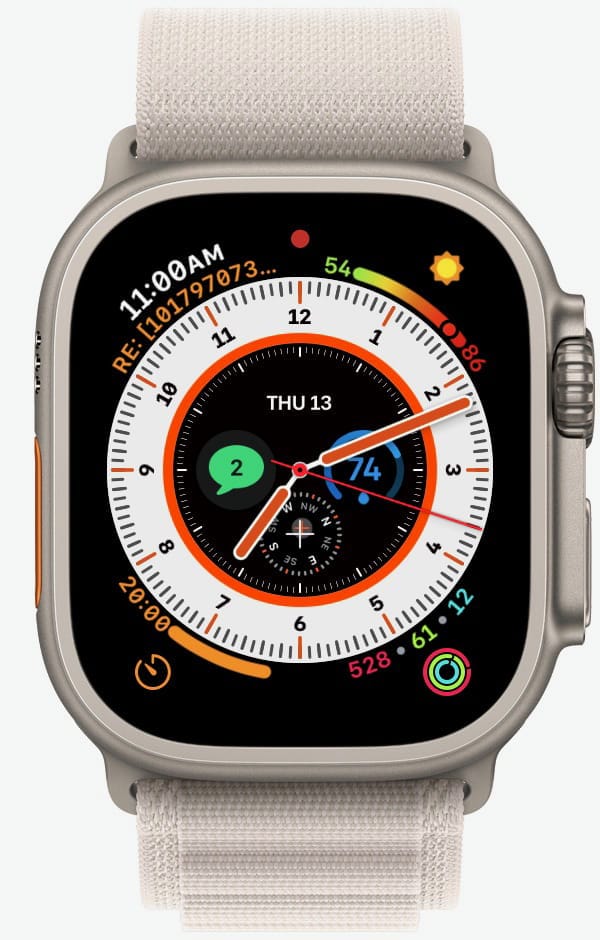
The Clock area is where the time elements are visible. There are two styles available to choose from: Hour and Minute. I have mine set to Hour.
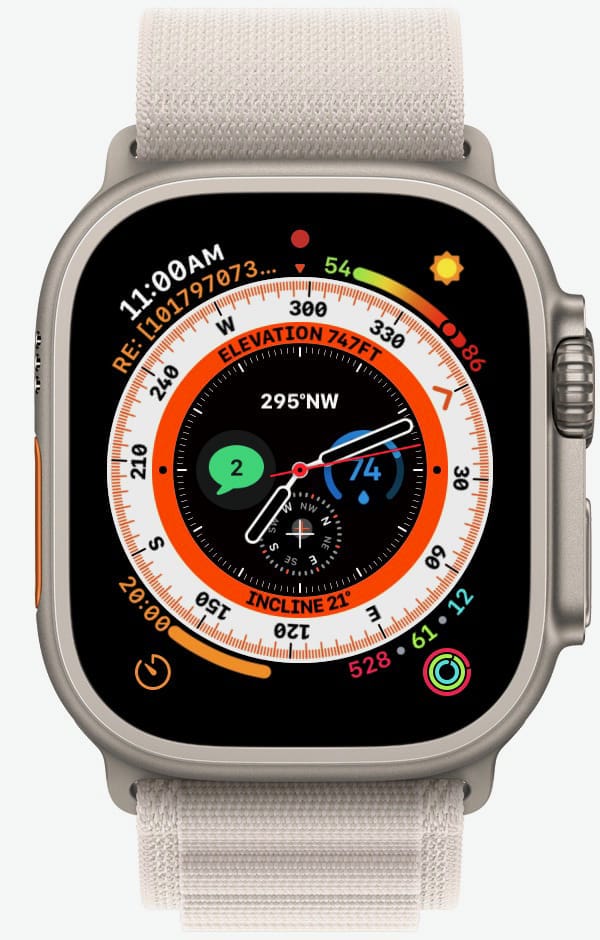
The Bezel is an additional layer of the Clock area and it replaces the Hour/Minute information when activated. There are three choices here: Latitude/Longitude, Elevation/Incline, or None. I have mine set to Elevation/Incline.
Tapping once in the Clock area enables the Bezel feature. Since I have mine set to Elevation/Incline, it shows me that plus a compass (see below). I don't hike or climb mountains, so there isn't much value here for me, but it should be handy for those who do. Tapping again in the Bezel area returns to the Clock.
Wayfinder has room for eight complications and here's how I set mine up, going around the outside dial first, and then the sub-dial options toward the center of the face.
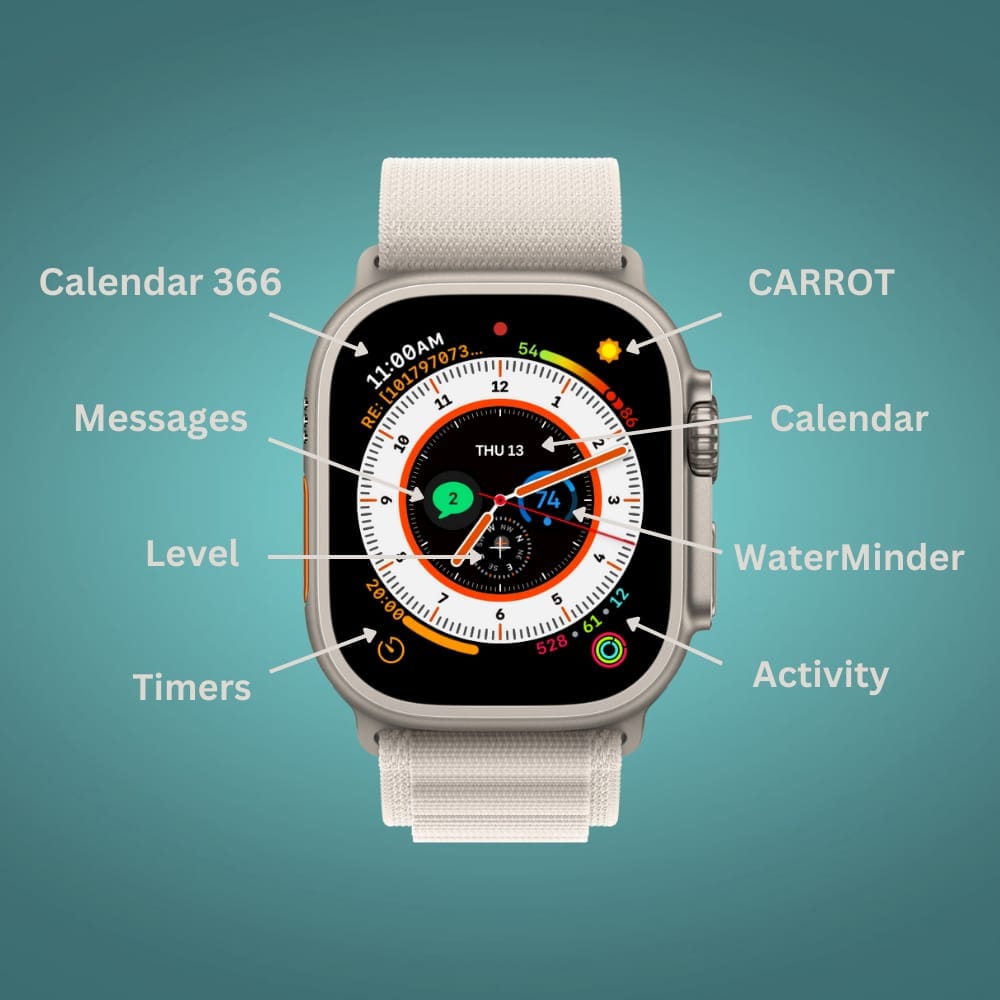
- Upper left — Calendar 366. I use Fantastical as my calendar app, but its watch app has always been glitchy for me. I've also recently switched from Things to Reminders for tracking my to-do lists. I don't like Apple's Calendar and Reminder complications, so this is where Calendar 366 comes into the picture. It's a full-blown calendaring app on iPhone, but I only use it for the Appointment complication, which shows me what's up next in the day, and includes Calendar events and tasks from Reminders. It's been very reliable.
- Upper right — CARROT Weather. My favorite weather app on iPhone and the watch, and worth the subscription, IMO. The Weather complication shows the forecasted high and low for the day and the current conditions.
- Bottom right — Activity rings. I watch these throughout the day to ensure I'm not being a total slug. One of my daily non-negotiables is closing the rings, and this keeps my progress readily available, so I stay on top of it.
- Bottom left — Timers app. I frequently use timers at the gym, while cooking, and during the day at work. Having quick access to them is very convenient.
- Sub-dial Top — Calendar app. Today's date. Simple.
- Sub-dial Right — WaterMinder's progress tracker. I use this to make sure I'm drinking enough water during the day. Simple and effective.
- Sub-dial Bottom — Compass app, level function. I don't use this, but I haven't found anything else to put in its place. Have any suggestions?
- Sub-dial Left — Messages. I use this all the time to keep an eye on incoming messages. I also use it to send and reply to messages way more than I ever thought I would, using dictation, quick suggestions, and the keyboard. (The swipe function on the watch keyboard works quite well!)
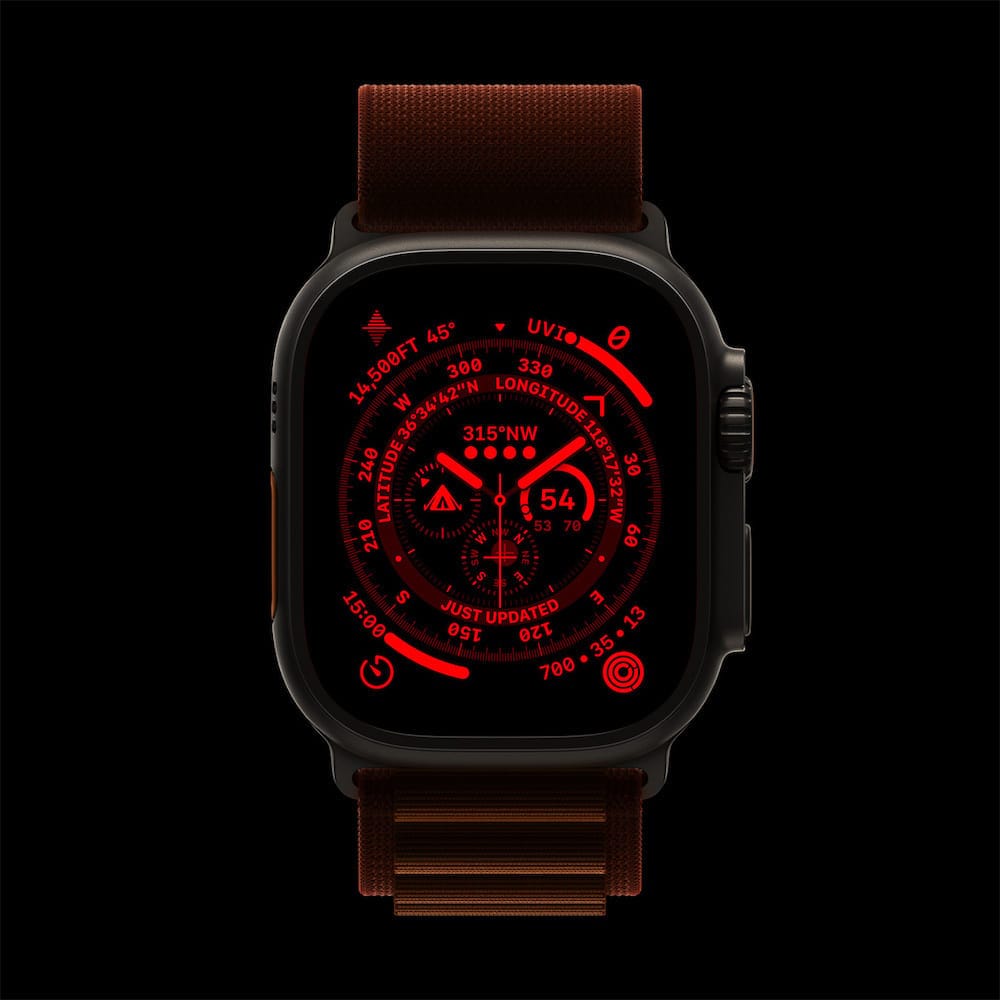
Wayfinder also includes a cool night mode that is activated by turning the Digital Crown, which makes the face red for improved visibility in the dark.
If you've never explored the different watch faces and their features, Apple has a list in their Apple Watch User Guide and it's worth checking out. Send a note back and let me know your go-to watch face!