

Typing on my iPhone was driving me nuts.
I was constantly making mistakes and then fighting with auto-correct and the frustrating text cursor to fix them. Stop me if this sounds familiar?
As my frustration reached new heights, I wandered into the iOS Keyboard settings, and whether it was dumb luck or divine intervention, I found a solution to my struggles.
I turned off Predictive Text and was shocked by how quickly my typing improved! 🤯
What is Predictive Text?
Predictive Text is that row of ever-changing words (or emojis) right above the letters on the iOS keyboard.
The idea is that iOS is smart enough to predict what you want to type next, so it offers you a few word choices (and emojis when appropriate). Indeed, it is possible to bang out sentences quickly using only the suggestions, and I know people who use them regularly.
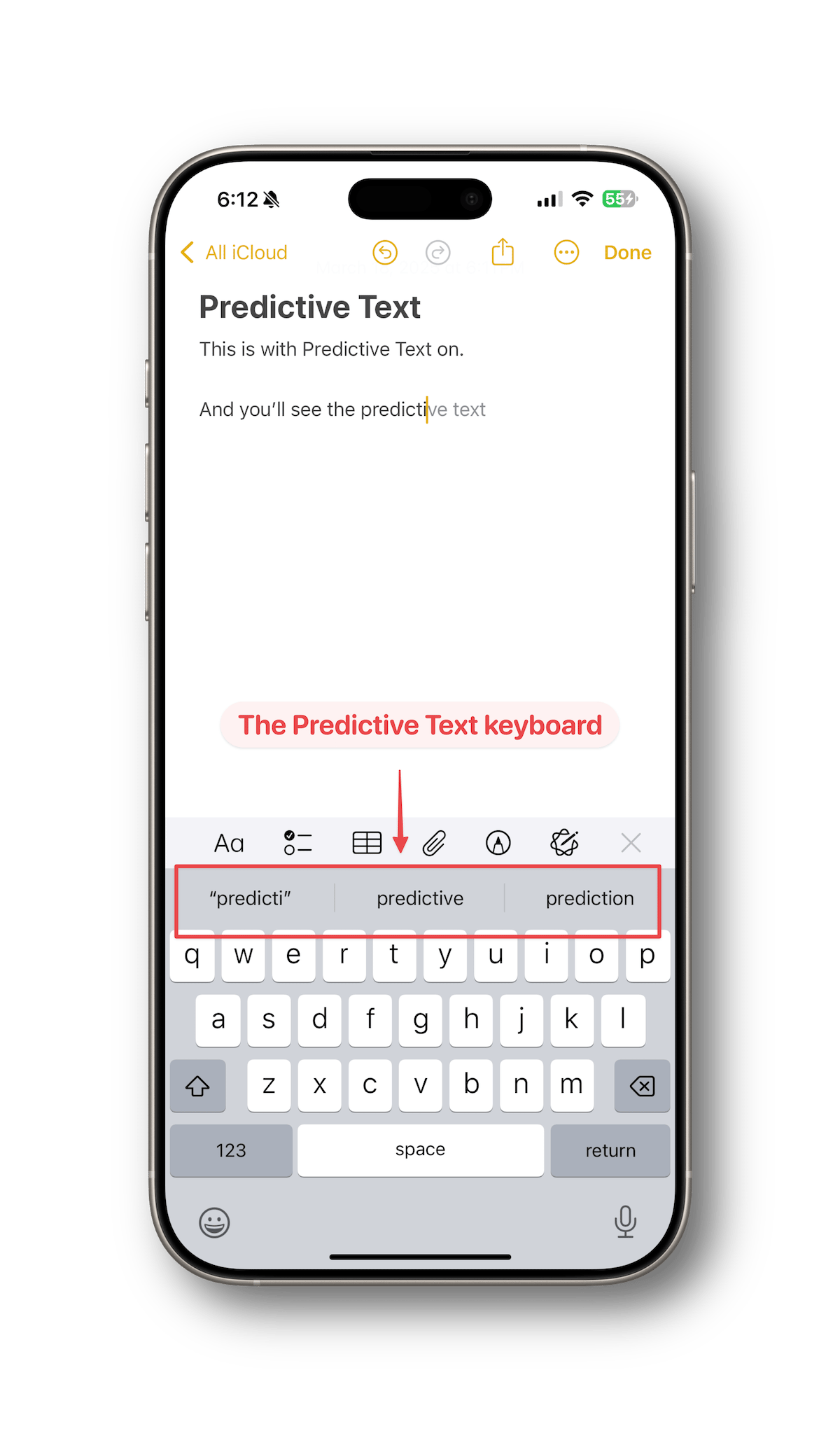
As it turns out, I'm a sloppy typer and frequently tap a word Apple suggests. So it hasn't been auto-correct per se that was giving me grief, but the Predictive Text suggestions.
How to Turn Off Predictive Text
It's really simple to turn this off if you'd like to test it and see if your typing experience improves.
On your iPhone, do the following:
- Go to Settings > General > Keyboard. Alternatively, when the iOS keyboard is visible, you can press and hold on the emoji icon in the bottom left and then choose Keyboard Settings.
- Tap the slider for Predictive Text to turn it off
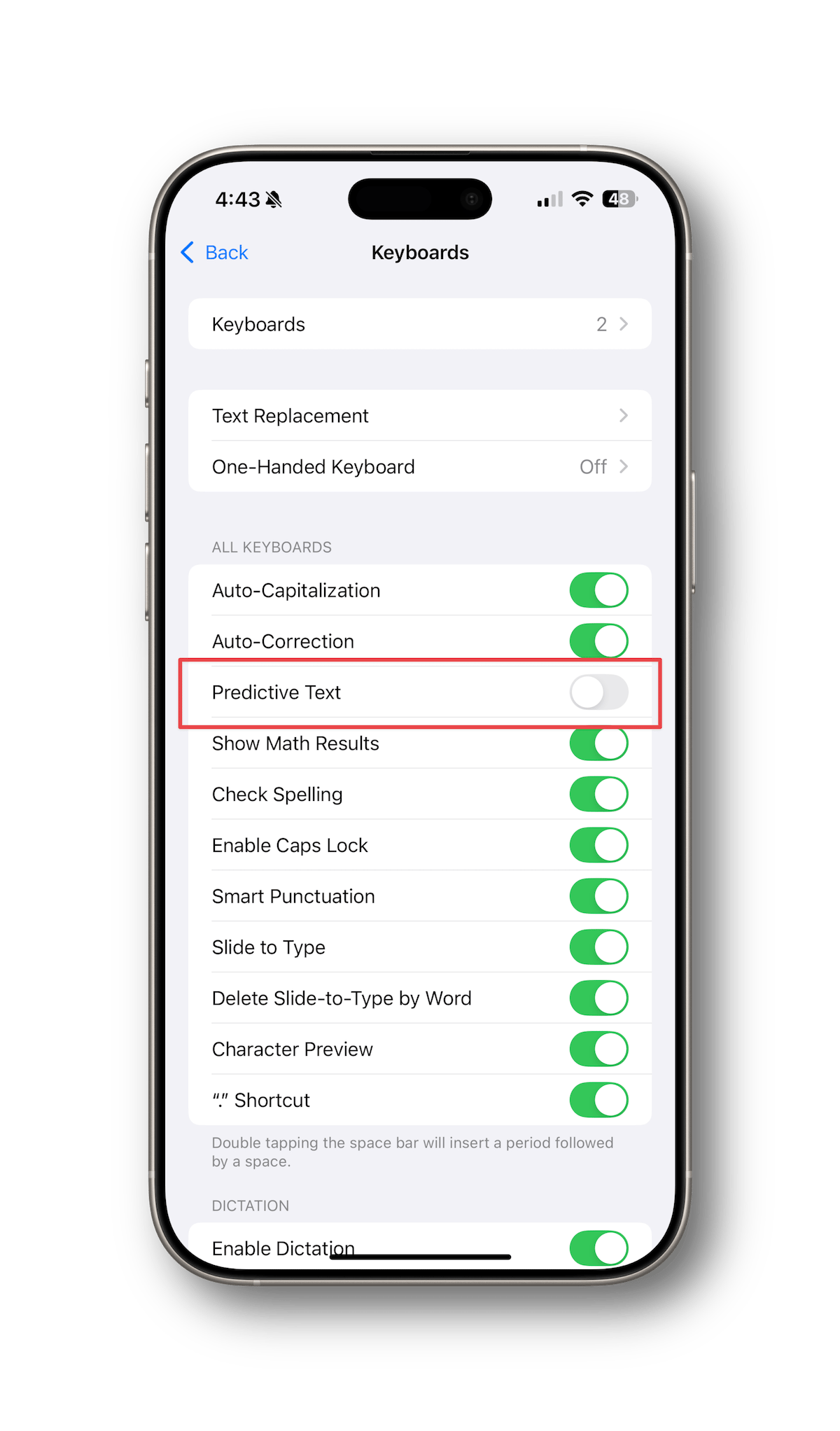
That's it!
Just repeat the steps and turn it back on if you miss having it around.
Things to Be Aware Of
If you decide to give this a go, here are a few things to be aware of:
- Turning off Predictive Text turns off both predictive text and inline text predictions.
- This will also disable emoji suggestions, which may or may not be a big deal for you. You can still add emoji by switching to the emoji keyboard.
- Auto-fill for SMS multi-factor authentication codes still works fine. The code will appear above the iOS keyboard and disappear after it's been used.
- Password auto-fill works fine, too. Like with SMS codes, the password suggestion appears as needed and then disappears.
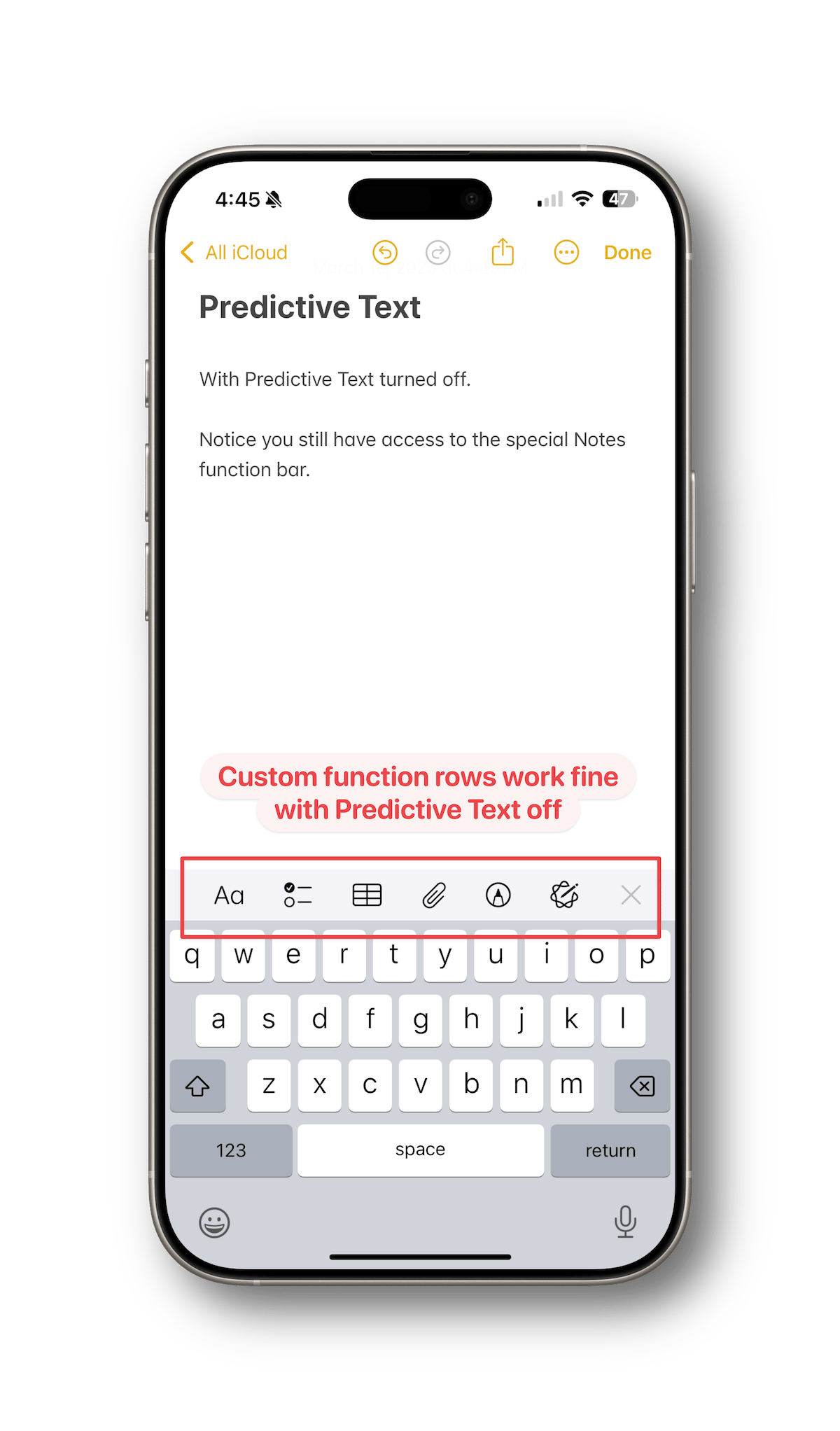
- If an app uses a custom function row, like Apple Notes shown below, it will still appear and operate normally.
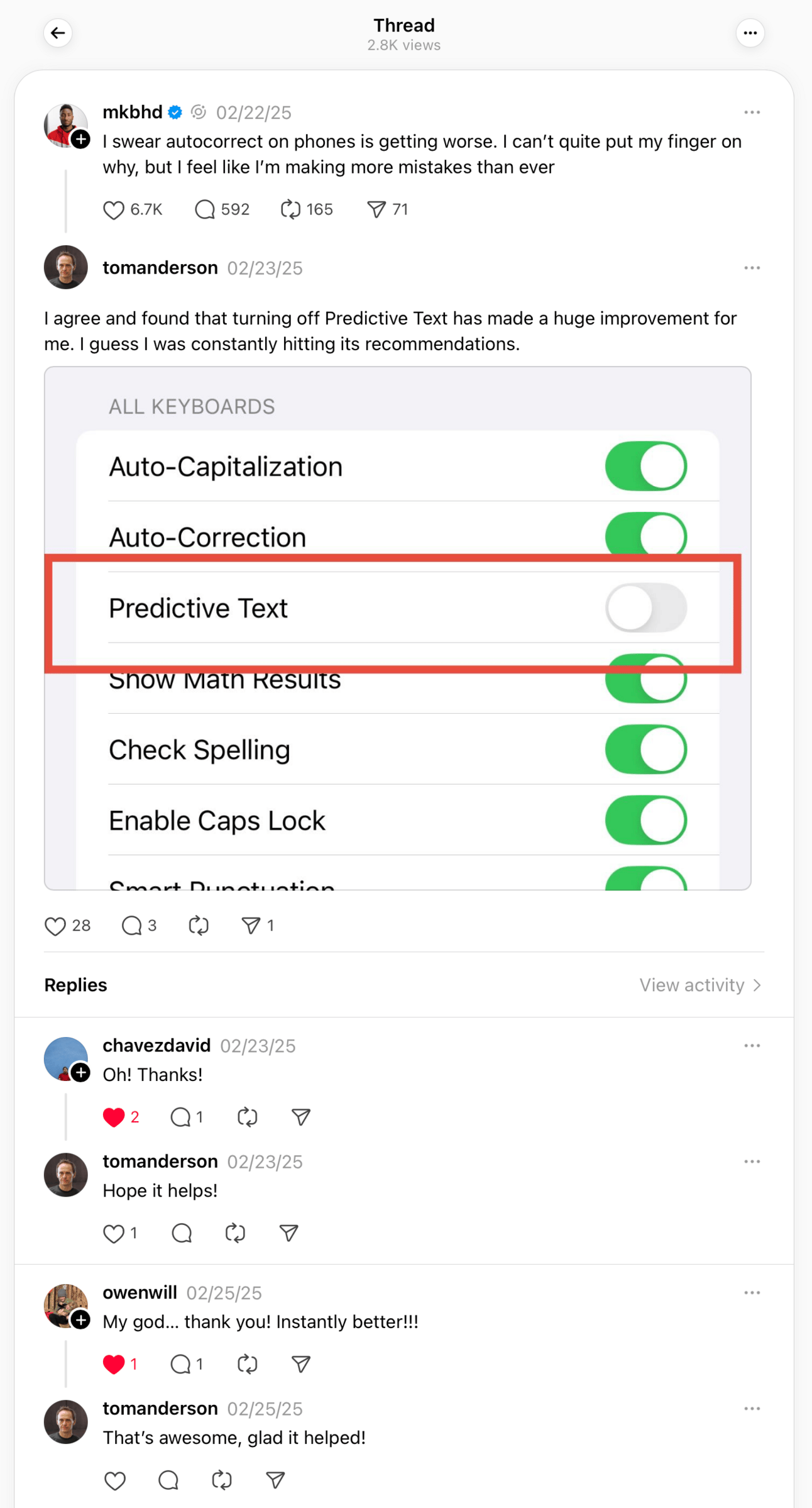
Not long after I made the change, I shared my results in a reply to a Threads post by MKBHD about how poor auto-correct is, and I'm not the only one that has found relief by turning off Predictive Text:
If you're like I was and struggling with typing on your iPhone, give it a try! And be sure to let me know how it goes!
PS - If you're not already, follow me on Threads!