

For years, macOS users have longed for better window management, but Apple never really seemed to move the needle on this. It added some very basic tiling functions, but that's about all.
This led to a robust third-party utility market that made managing windows on macOS more functional. Apps like Magnet, Rectangle, and others have filled the gap nicely.
In the upcoming macOS Sequoia, Apple is taking another swing at improving window management with some new window-tiling capabilities. Let's take a look.
Comparing the tiling options
The primary benefit of the third-party apps is the sheer number of tiling options they provide. Magnet, my app of choice for this, offers over 15 built-in positions for windows, all just a click or keyboard shortcut away. Here's a look at them:
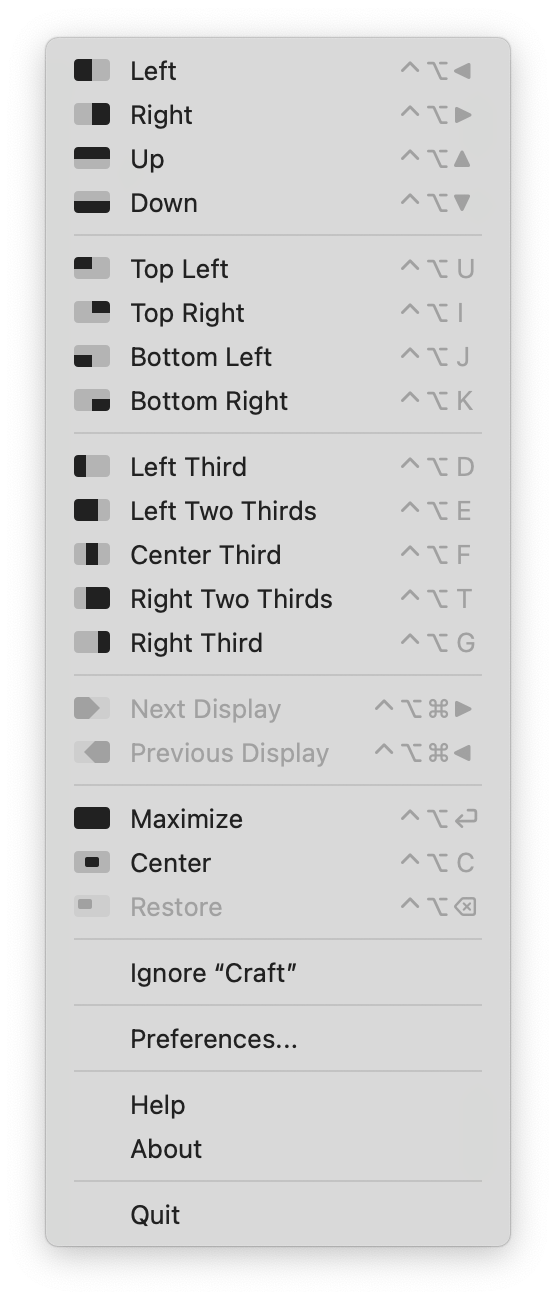
When you compare that to the minimal options Apple has provided until now, you can see why these third-party utilities have found broad support among Mac users.
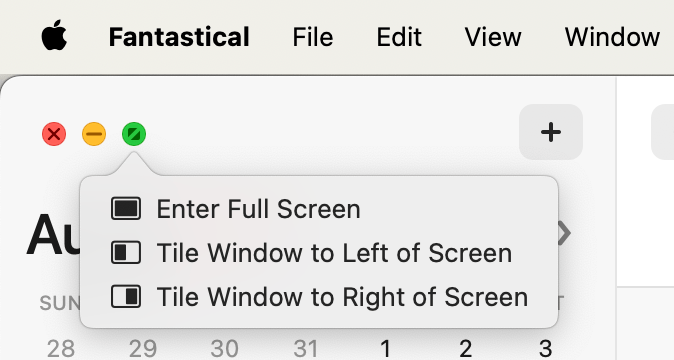
As shown above, in the current version of macOS, there are only three tiling options available when you hover over the green circle.
Let's compare the number of options in Sequoia:
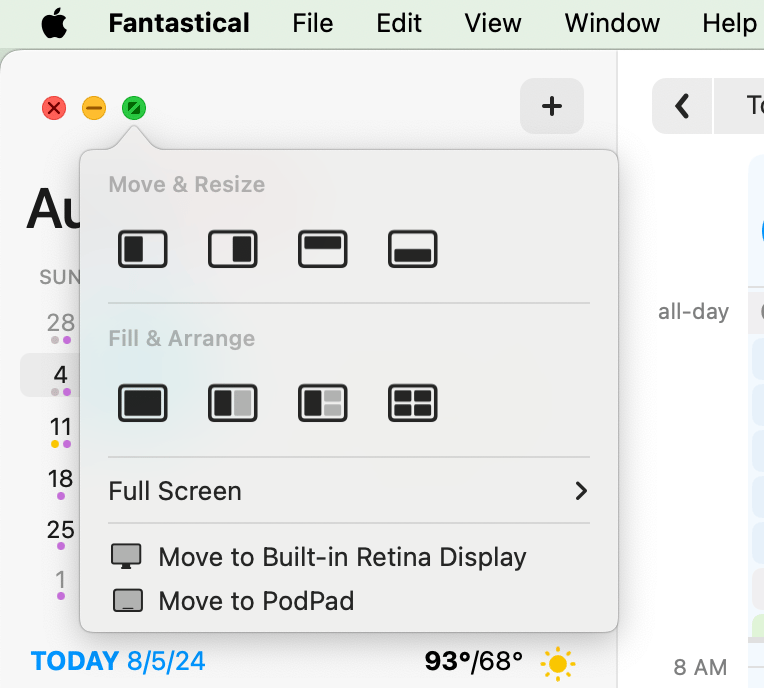
That's quite an improvement! And there are even more options in the Window menu under "Move & Resize":
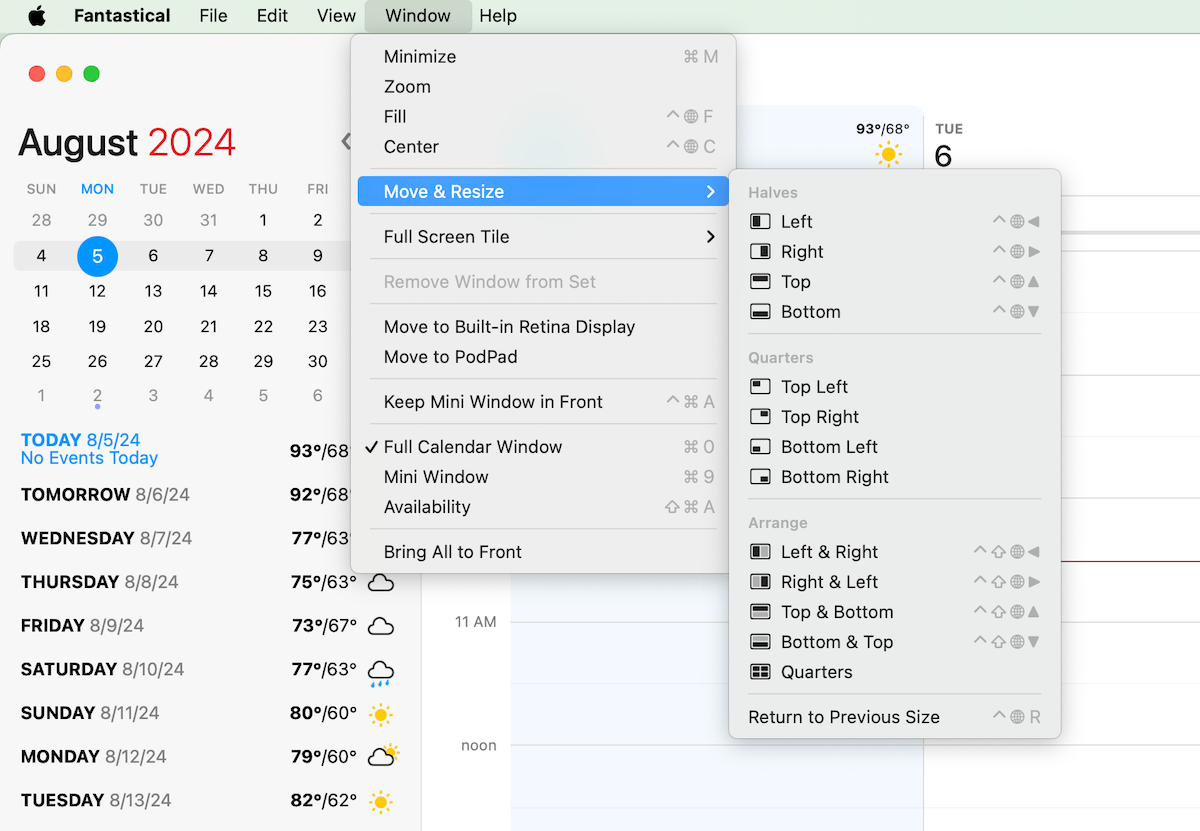
Plus there's even keyboard shortcut support for most of them!
When you tile windows, a small margin is left around the sides to allow you some room to click on the desktop or another window or app in the background. If you prefer to have the windows go edge to edge, you can turn off the margin in System Settings > Desktop & Dock > Tiled windows have margin.
While I think there will still be a market for third-party window management utilities, Apple's new tiling features are pretty great and should be good enough for what I and many others need.